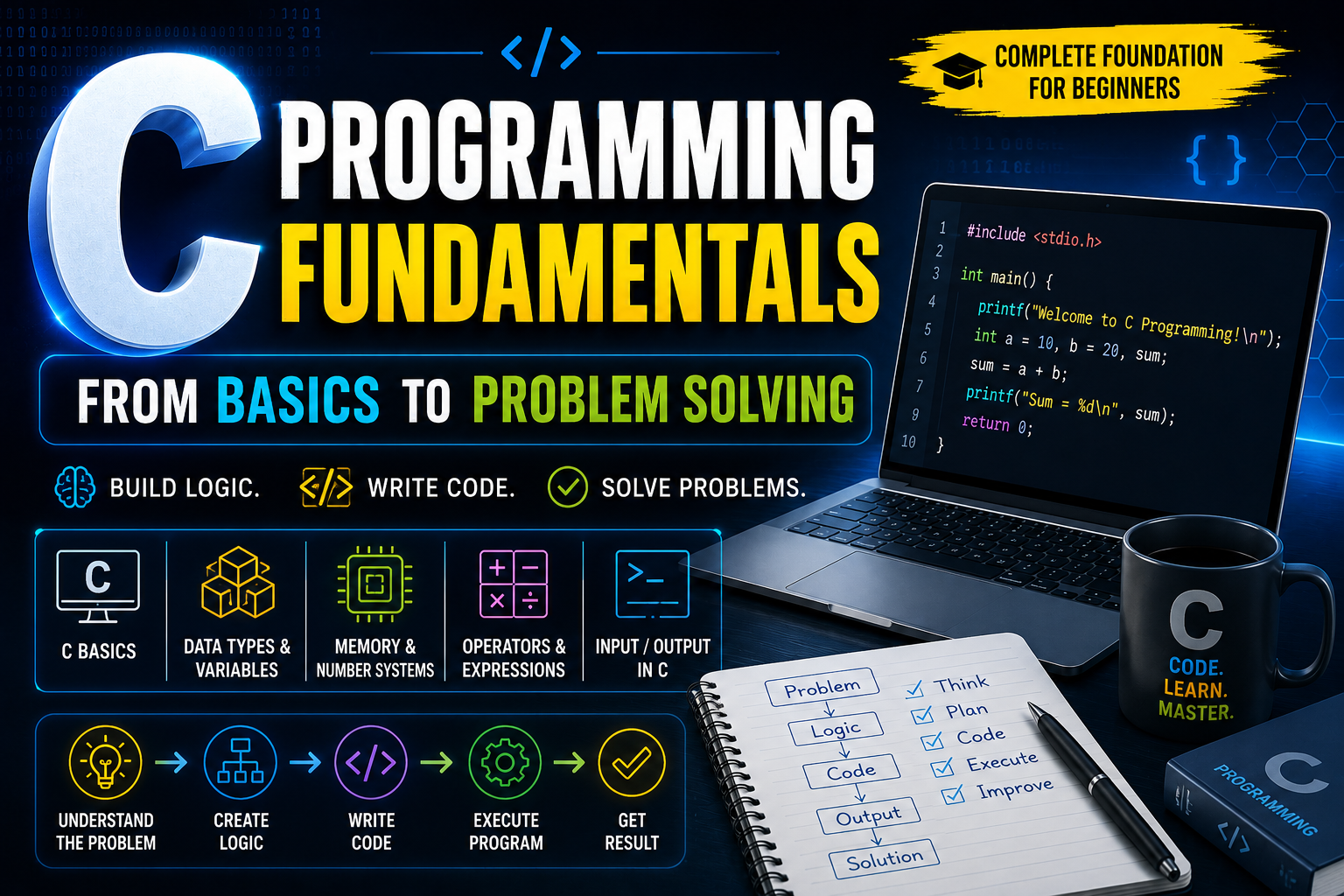
C PROGRAMMING • FOUNDATION SERIES
Build Your Programming Foundation with C
Programming begins with a simple idea: solving a problem by creating
clear instructions for a computer. In this guide, you will learn the
foundations of C programming and understand how your code moves from
an idea to an executable program.
What You Will Learn
This foundation guide introduces the core concepts that every
beginner should understand before moving toward advanced programming
topics.
- What is Programming?
- What is a Programming Language?
- What is C Programming?
- History of C
- Compiler and IDE
- Source Code and Machine Code
- Basic C Program Structure
- Comments in C
- Your First C Programming Task
1. What Is Programming?
Programming is the process of creating instructions that tell a
computer how to perform a task or solve a problem.
From an Idea to a Result
When you use an application, visit a website or interact with a
digital system, software is following instructions written by
programmers. These instructions are created by breaking a problem
into smaller, logical steps.
A programmer does not simply write random commands. The programmer
first understands the problem, creates a solution plan and then
converts that plan into code.
Problem → Logic → Instructions → Code → Execution → Result
1. Understand
Identify the problem that needs to be solved.
2. Plan
Decide the logical steps required to solve it.
3. Write
Convert the solution into programming instructions.
4. Execute
Let the computer process the instructions.
2. What Is a Programming Language?
A programming language is a structured system used to write
instructions that can be translated and executed by a computer.
Computers fundamentally process instructions at a very low level.
Programming languages make it easier for humans to communicate
instructions using structured syntax and understandable rules.
Different languages are designed for different purposes. Some are
commonly used for websites, some for mobile applications and others
for system software, embedded devices and high-performance
applications.
3. What Is C Programming?
C is a general-purpose programming language that gives programmers a
powerful combination of performance, efficiency and control over system
resources.
Performance
C is known for creating fast and efficient programs.
Memory Awareness
C helps programmers understand how computer memory is used.
Portability
C programs can be adapted to many different systems.
Strong Foundation
C concepts help build a powerful programming mindset.
Why learn C?
C helps you understand the relationship between your code, memory
and the computer system. This makes it a powerful foundation for
learning other programming languages later.
4. A Brief History of C
C has played an important role in the development of modern computing
and has influenced many programming languages used by developers today.
C was developed by Dennis Ritchie at Bell
Laboratories during the early 1970s.
The language became widely known through its connection with the
development of the UNIX operating system. Its combination of speed,
portability and system-level control helped C become one of the most
influential languages in computer science.
C Programming → Systems Programming → Modern Software Foundations
5. What Is Source Code?
Source code is the human-readable set of instructions written by a
programmer using a programming language.
#include <stdio.h>

int main() {

    printf("Welcome to Hadi W3B");

    return 0;
}
A programmer can read and understand the structure of this code.
However, the computer processor cannot directly execute the
English-like instructions in this form.
6. What Is a Compiler?
A compiler translates source code into a form that the computer can
process and execute.
Source Code → Compiler → Machine Instructions → Program Execution
The Compiler’s Role
When you write a C program, the compiler examines the source code,
checks its structure and translates valid instructions into
machine-level instructions.
If the compiler finds a problem in the code, it reports an error so
the programmer can correct it.
7. What Is an IDE?
An IDE, or Integrated Development Environment, combines the main tools
needed to create, compile, run and debug programs.
Code Editor
Used to write and modify source code.
Compiler
Translates source code into executable instructions.
Debugger
Helps programmers investigate problems in their code.
Terminal
Provides a way to interact with development tools and programs.
8. The Structure of a Basic C Program
A C program follows a structured format. Understanding this structure
makes it easier to read and create programs.
#include <stdio.h>

int main() {

    printf("Hello from Hadi W3B");

    return 0;
}
Breaking the Program into Parts
#include <stdio.h>
provides access to standard input and output functionality.
int main()
defines the main function. Program execution begins from this
function.
printf()
displays text on the screen.
return 0;
indicates that the program completed successfully.
9. Comments in C
Comments are notes written inside source code to explain what the code
does. The compiler ignores comments during program execution.
Single-Line Comment
// This line explains the purpose of the code
Multi-Line Comment
/*
   This is a multi-line comment.
   It can contain multiple explanations.
*/
Good Practice:
Use comments to explain the purpose of complicated sections of
code. Clear comments can make a program easier to understand and
maintain.
10. Practical Task: Create a Digital Identity Card
Now combine the basic concepts you have learned by creating a simple
digital identity card using C.
Build a Hadi W3B Developer Card
Create a program that displays a fictional developer identity card
with a username, development level and current mission.
#include <stdio.h>

int main() {

    printf("================================\n");
    printf("          HADI W3B\n");
    printf("================================\n");

    printf("Username : Hadi W3B\n");
    printf("Level    : C Programming Beginner\n");
    printf("Mission  : Master the Fundamentals\n");

    printf("================================\n");

    return 0;
}
Part 1 Summary:
Programming is the process of solving problems through
instructions. C provides a powerful foundation for understanding
how source code is translated and executed by a computer. In the
next part, we will explore variables, constants, data types and how
different types of information are stored in memory.
11. What Is a Variable?
A variable is a named location in computer memory used to store
information that may be used by a program.
Think of a Variable as a Named Storage Location
When a program needs to work with information, that information
must be stored somewhere in memory. A variable gives that memory
location a meaningful name so the program can work with the stored
data.
Variable = Name + Data Type + Stored Value
A Simple Variable Example
#include <stdio.h>

int main() {

    int score = 95;

    printf("%d", score);

    return 0;
}
In this example, score is the variable name,
int is the data type and 95 is
the stored value.
12. Variable Declaration and Initialization
Creating a variable and giving it an initial value are two important
steps in C programming.
Declaration → int points;
Initialization → int points = 95;
Declaration
int points;
This tells the compiler that a variable named points
will be used to store an integer value.
Initialization
int points = 95;
This creates the variable and gives it an initial value at the same
time.
13. Rules for Naming Variables
Variable names make programs easier to understand, but C follows
specific rules when creating them.
Start Correctly
A variable name can begin with a letter or an underscore.
No Spaces
Spaces are not allowed inside variable names.
Case Sensitive
score and Score are different names.
Use Meaningful Names
Names should describe the information they store.
Valid Variable Names
int score;
int playerLevel;
int totalPoints;
int _counter;
Invalid Variable Names
int player level;
int 2score;
int total-points;
Best Practice:
Prefer descriptive names such as
totalPoints instead of unclear names such as
x when the purpose of the variable matters.
14. What Is a Constant?
A constant is a value that is intended to remain unchanged during the
execution of a program.
Constants are useful when a value has a fixed meaning throughout a
program.
#include <stdio.h>

int main() {

    const int MAX_LEVEL = 100;

    printf("%d", MAX_LEVEL);

    return 0;
}
The keyword const tells the compiler that the value
should not be changed after it has been initialized.
15. What Are Data Types?
A data type tells the compiler what kind of information a variable will
store and how that information should be handled in memory.
| Data Type | Typical Use | Example |
|---|---|---|
| char | Single character | ‘A’ |
| int | Whole numbers | 250 |
| float | Decimal values | 12.5f |
| double | More precise decimal values | 12.56789 |
16. The char Data Type
The char data type is commonly used to store a single
character.
#include <stdio.h>

int main() {

    char symbol = 'H';

    printf("%c", symbol);

    return 0;
}
A character is written inside single quotation marks, such as
'H'.
17. The int Data Type
The int data type is commonly used to store whole numbers
without a decimal portion.
#include <stdio.h>

int main() {

    int completedTasks = 24;

    printf("%d", completedTasks);

    return 0;
}
18. The float Data Type
The float data type is used to store numbers that contain
a decimal portion.
#include <stdio.h>

int main() {

    float temperature = 27.5f;

    printf("%.1f", temperature);

    return 0;
}
19. The double Data Type
The double data type is commonly used when more precision
is required for decimal values.
#include <stdio.h>

int main() {

    double distance = 123.456789;

    printf("%.6lf", distance);

    return 0;
}
20. Understanding Bits and Bytes
Computer memory stores information using binary digits. These binary
digits are called bits.
Bit
The smallest unit of digital information. A bit can represent
either 0 or 1.
Byte
One byte contains 8 bits.
Kilobyte
Commonly represented as approximately 1024 bytes.
Memory Storage
Data types use a specific amount of memory to store information.
1 Byte = 8 Bits
21. Measuring Data Type Memory with sizeof()
The sizeof() operator can be used to determine how much
memory a data type or variable occupies.
#include <stdio.h>

int main() {

    printf("char   : %zu bytes\n", sizeof(char));
    printf("int    : %zu bytes\n", sizeof(int));
    printf("float  : %zu bytes\n", sizeof(float));
    printf("double : %zu bytes\n", sizeof(double));

    return 0;
}
The exact memory size of some data types can depend on the compiler
and system architecture. The sizeof() operator gives
the actual size used by your current environment.
22. Understanding the Range of a Data Type
The number of bits available to a data type determines how many
different values it can represent.
Number of Possible Values = 2ⁿ
n = Number of Bits
Example: 8 Bits
If a value uses 8 bits, the total number of possible binary
combinations is:
2⁸ = 256 Possible Values
These values can be represented from 0 to 255 when all
8 bits are used for non-negative values.
23. Unsigned Range Formula
An unsigned data type represents only zero and positive values.
Unsigned Range = 0 to (2ⁿ − 1)
Example: 8-Bit Unsigned Value
2⁸ − 1 = 256 − 1 = 255
Range = 0 to 255
24. Signed Range Formula
A signed data type can represent both negative and positive values.
Signed Range = −2ⁿ⁻¹ to (2ⁿ⁻¹ − 1)
Example: 8-Bit Signed Value
−2⁷ to (2⁷ − 1)
−128 to 127
Important:
The exact ranges of standard C data types such as
int can vary depending on the system and compiler.
Always use the correct data type size for the environment you are
working with.
25. Practical Task: Create a Data Profile
Create a program that stores different kinds of information using
different data types and displays the results.
Build a Digital Data Profile
Create a small program that stores a character code, a completed
mission count, a progress percentage and a precision score.
#include <stdio.h>

int main() {

    char rank = 'A';
    int missions = 12;
    float progress = 87.5f;
    double accuracy = 98.765432;

    printf("Rank     : %c\n", rank);
    printf("Missions : %d\n", missions);
    printf("Progress : %.1f%%\n", progress);
    printf("Accuracy : %.6lf%%\n", accuracy);

    return 0;
}
Part 2 Summary:
Variables provide named storage locations for information. Data
types tell the compiler what kind of data is being stored, while
memory is measured in bits and bytes. The number of available bits
also determines the possible range of values that a data type can
represent.
26. Understanding Number Systems
Computers do not naturally process numbers in the same way humans
usually write them. Different number systems are used to represent and
process numerical information.
Why Learn Number Systems?
Number systems are important because computers store and process
information using binary values. Understanding different number
systems helps you understand how data is represented inside a
computer.
Decimal
Base 10. Commonly used by humans in daily life.
Binary
Base 2. Uses only 0 and 1.
Octal
Base 8. Uses digits from 0 to 7.
Hexadecimal
Base 16. Uses 0–9 and A–F.
27. The Decimal Number System
The decimal number system is the system people use most commonly in
everyday life. It is based on ten digits.
Decimal Base = 10
Digits = 0, 1, 2, 3, 4, 5, 6, 7, 8, 9
Example: 583
5 × 10² + 8 × 10¹ + 3 × 10⁰
500 + 80 + 3 = 583
28. The Binary Number System
Binary is the fundamental number system used by digital computers. It
contains only two digits: 0 and 1.
Binary Base = 2
Digits = 0 and 1
Example: Binary 1011
1 × 2³ + 0 × 2² + 1 × 2¹ + 1 × 2⁰
8 + 0 + 2 + 1 = 11
Therefore,
1011₂ = 11₁₀.
29. The Octal Number System
The octal number system uses eight digits, from 0 to 7.
Octal Base = 8
Digits = 0, 1, 2, 3, 4, 5, 6, 7
Example: Octal 247
2 × 8² + 4 × 8¹ + 7 × 8⁰
128 + 32 + 7 = 167
Therefore,
247₈ = 167₁₀.
30. The Hexadecimal Number System
Hexadecimal is a base-16 number system. It uses numbers from 0 to 9
and letters from A to F.
| Decimal | Hexadecimal |
|---|---|
| 0–9 | 0–9 |
| 10 | A |
| 11 | B |
| 12 | C |
| 13 | D |
| 14 | E |
| 15 | F |
Example: Hexadecimal 2A
2 × 16¹ + A × 16⁰
2 × 16 + 10 × 1
32 + 10 = 42
Therefore,
2A₁₆ = 42₁₀.
31. Decimal to Binary Conversion
To convert a decimal number into binary, repeatedly divide the number
by 2 and record the remainders.
Decimal → Divide by 2 → Record Remainders → Read from Bottom to Top
Example: Convert 25 to Binary
| Calculation | Quotient | Remainder |
|---|---|---|
| 25 ÷ 2 | 12 | 1 |
| 12 ÷ 2 | 6 | 0 |
| 6 ÷ 2 | 3 | 0 |
| 3 ÷ 2 | 1 | 1 |
| 1 ÷ 2 | 0 | 1 |
Read Remainders from Bottom to Top
25₁₀ = 11001₂
32. Binary to Decimal Conversion
To convert binary into decimal, multiply each binary digit by its
corresponding power of 2.
Example: Convert 11001 to Decimal
1 × 2⁴ + 1 × 2³ + 0 × 2² + 0 × 2¹ + 1 × 2⁰
16 + 8 + 0 + 0 + 1 = 25
Therefore,
11001₂ = 25₁₀.
33. Decimal to Octal Conversion
To convert a decimal number into octal, repeatedly divide the number
by 8 and record the remainders.
Example: Convert 83 to Octal
83 ÷ 8 = 10 remainder 3
10 ÷ 8 = 1 remainder 2
1 ÷ 8 = 0 remainder 1
83₁₀ = 123₈
34. Decimal to Hexadecimal Conversion
To convert a decimal number into hexadecimal, repeatedly divide the
number by 16 and record the remainders.
Example: Convert 42 to Hexadecimal
42 ÷ 16 = 2 remainder 10
Decimal 10 = Hexadecimal A
42₁₀ = 2A₁₆
35. Understanding ASCII
ASCII stands for American Standard Code for Information Interchange.
It assigns numerical values to characters so computers can represent
text digitally.
Characters Have Numerical Codes
When you write a character such as A, the computer
stores a numerical representation of that character.
For example, the uppercase character A has the
decimal ASCII value 65.
| Character | Decimal ASCII | Binary | Hexadecimal |
|---|---|---|---|
| A | 65 | 01000001 | 41 |
| B | 66 | 01000010 | 42 |
| a | 97 | 01100001 | 61 |
| 0 | 48 | 00110000 | 30 |
36. ASCII Conversion Example
The character A can be converted into different number systems using
its ASCII decimal value.
Character A
ASCII Decimal = 65
65₁₀ = 01000001₂
65₁₀ = 41₁₆
C Program to Display an ASCII Value
#include <stdio.h>

int main() {

    char symbol = 'A';

    printf("Character : %c\n", symbol);
    printf("ASCII Code: %d\n", symbol);

    return 0;
}
37. The printf() Function
The printf() function is used to display formatted
information on the screen.
#include <stdio.h>

int main() {

    printf("Welcome to C Programming\n");
    printf("Created for Hadi W3B\n");

    return 0;
}
38. The scanf() Function
The scanf() function is used to receive input from the
user through the keyboard.
#include <stdio.h>

int main() {

    int age;

    printf("Enter your age: ");
    scanf("%d", &age);

    printf("Your age is: %d", age);

    return 0;
}
The & symbol in
&age tells scanf() where the
variable is stored in memory. Pointers and memory addresses will be
studied in more detail later.
39. Common Format Specifiers
Format specifiers tell C how a value should be read or displayed.
| Specifier | Used For | Example |
|---|---|---|
| %d | Integer | 25 |
| %c | Character | A |
| %f | Floating-point value | 12.5 |
| %lf | Double value | 12.56789 |
| %s | String | Hello |
40. Escape Sequences
Escape sequences are special character combinations used to control the
formatting of text displayed by a C program.
| Escape Sequence | Purpose |
|---|---|
| \n | New line |
| \t | Horizontal tab |
| \” | Double quotation mark |
| \\ | Backslash |
Escape Sequence Example
#include <stdio.h>

int main() {

    printf("HADI W3B\n");
    printf("C Programming\tFoundation\n");
    printf("\"Keep Learning\"");

    return 0;
}
41. Practical Task: Build a Conversion Display
Create a program that displays the same character in character,
decimal ASCII, binary and hexadecimal forms.
Explore the Identity of a Character
Use the character A and display its character form, decimal ASCII
value and hexadecimal representation.
#include <stdio.h>

int main() {

    char symbol = 'A';

    printf("==============================\n");
    printf("       CHARACTER PROFILE\n");
    printf("==============================\n");

    printf("Character       : %c\n", symbol);
    printf("Decimal ASCII   : %d\n", symbol);
    printf("Hexadecimal     : %X\n", symbol);

    printf("==============================\n");

    return 0;
}
Part 3 Summary:
Number systems provide different ways to represent values.
Computers fundamentally use binary representation, while decimal,
octal and hexadecimal are useful for humans in different computing
contexts. ASCII connects characters with numerical values, while
input and output functions allow programs to communicate with
users.
42. Understanding C Tokens
A C program is made up of small individual elements called tokens.
Tokens are the basic building blocks that form a complete C program.
C Program = Keywords + Identifiers + Constants + Operators + Symbols
Example
int score = 95;
In this statement, int is a keyword,
score is an identifier,
95 is a constant and
= is an assignment operator.
43. What Are Keywords?
Keywords are reserved words that have a predefined meaning in the C
programming language.
| Keyword | Purpose |
|---|---|
| int | Defines an integer data type |
| char | Defines a character data type |
| float | Defines a decimal data type |
| double | Defines a higher-precision decimal type |
| const | Defines a value that should not change |
| return | Returns a value from a function |
Keywords cannot normally be used as variable names because they
already have a special meaning in the C language.
44. What Are Identifiers?
Identifiers are names created by the programmer for variables,
functions and other program elements.
int totalScore;
float averageValue;
char grade;
In this example,
totalScore,
averageValue and
grade are identifiers.
45. What Are Constants?
A constant is a fixed value that does not change during the execution
of a program.
int maximumScore = 100;
char level = 'A';
float rating = 4.5f;
Integer Constant
100
Character Constant
'A'
Floating Constant
4.5f
String Constant
"C Programming"
46. What Are Operators?
Operators are special symbols used to perform operations on values and
variables.
| Category | Operators | Purpose |
|---|---|---|
| Arithmetic | + − * / % | Mathematical calculations |
| Assignment | = | Assigns a value |
| Relational | == != > < >= <= | Compares values |
| Logical | && || ! | Works with logical conditions |
47. Arithmetic Operators
Arithmetic operators are used for mathematical calculations.
#include <stdio.h>

int main() {

    int firstValue = 20;
    int secondValue = 6;

    printf("Addition       : %d\n", firstValue + secondValue);
    printf("Subtraction    : %d\n", firstValue - secondValue);
    printf("Multiplication  : %d\n", firstValue * secondValue);
    printf("Division       : %d\n", firstValue / secondValue);
    printf("Remainder      : %d\n", firstValue % secondValue);

    return 0;
}
Remainder = Value Left After Division
48. Assignment Operator
The assignment operator is used to place a value into a variable.
int points;

points = 250;
The value 250 is assigned to the variable
points.
49. Relational Operators
Relational operators compare two values. The result of a comparison is
generally either true or false.
#include <stdio.h>

int main() {

    int firstValue = 25;
    int secondValue = 15;

    printf("%d\n", firstValue > secondValue);
    printf("%d\n", firstValue == secondValue);
    printf("%d\n", firstValue != secondValue);

    return 0;
}| Operator | Meaning |
|---|---|
| == | Equal to |
| != | Not equal to |
| > | Greater than |
| < | Less than |
| >= | Greater than or equal to |
| <= | Less than or equal to |
50. Logical Operators
Logical operators are used to combine or reverse conditions.
| Operator | Meaning |
|---|---|
| && | AND |
| || | OR |
| ! | NOT |
51. Expressions in C
An expression is a combination of values, variables and operators that
produces a result.
int total = 20 + 15;Expression → Values + Operators → Result
In the expression 20 + 15, the values are combined
using an arithmetic operator to produce the result 35.
52. Operator Precedence
When an expression contains multiple operators, C follows a specific
order to determine which operation should be performed first.
Parentheses → Multiplication / Division → Addition / Subtraction
Example
int result = 10 + 5 * 2;5 × 2 = 10
10 + 10 = 20
Using Parentheses
int result = (10 + 5) * 2;10 + 5 = 15
15 × 2 = 30
53. Type Conversion
Type conversion occurs when a value is converted from one data type
into another data type.
Automatic Conversion
#include <stdio.h>

int main() {

    int wholeNumber = 25;
    float result = wholeNumber;

    printf("%.2f", result);

    return 0;
}
Explicit Conversion
#include <stdio.h>

int main() {

    int total = 7;
    int items = 2;

    float average = (float) total / items;

    printf("%.2f", average);

    return 0;
}
Explicit conversion allows the programmer to clearly tell the
compiler which data type should be used for a calculation.
54. Practical Task: Create a Score Analyzer
Create a program that stores three scores and calculates the total and
average using arithmetic operators.
#include <stdio.h>

int main() {

    int scoreOne = 78;
    int scoreTwo = 86;
    int scoreThree = 92;

    int total = scoreOne + scoreTwo + scoreThree;

    float average = (float) total / 3;

    printf("Score One   : %d\n", scoreOne);
    printf("Score Two   : %d\n", scoreTwo);
    printf("Score Three : %d\n", scoreThree);

    printf("Total       : %d\n", total);
    printf("Average     : %.2f\n", average);

    return 0;
}
55. Practical Task: Calculate a Rectangle
Create a program that calculates the area and perimeter of a rectangle.
Area = Length × Width
Perimeter = 2 × (Length + Width)
#include <stdio.h>

int main() {

    float length = 12.5f;
    float width = 7.5f;

    float area = length * width;
    float perimeter = 2 * (length + width);

    printf("Length    : %.2f\n", length);
    printf("Width     : %.2f\n", width);
    printf("Area      : %.2f\n", area);
    printf("Perimeter : %.2f\n", perimeter);

    return 0;
}
56. Practical Task: Convert Time
Create a program that converts a total number of minutes into hours
and remaining minutes.
#include <stdio.h>

int main() {

    int totalMinutes = 185;

    int hours = totalMinutes / 60;
    int remainingMinutes = totalMinutes % 60;

    printf("Total Minutes      : %d\n", totalMinutes);
    printf("Complete Hours     : %d\n", hours);
    printf("Remaining Minutes  : %d\n", remainingMinutes);

    return 0;
}
57. Practical Task: Create a Currency Calculator
Create a simple program that calculates the total cost of multiple
items using a price and quantity.
Total Cost = Price × Quantity
#include <stdio.h>

int main() {

    float price = 24.50f;
    int quantity = 4;

    float totalCost = price * quantity;

    printf("Price       : $%.2f\n", price);
    printf("Quantity    : %d\n", quantity);
    printf("Total Cost  : $%.2f\n", totalCost);

    return 0;
}
58. Practical Task: Analyze a Three-Digit Number
Create a program that separates a three-digit number into its
individual digits.
For a three-digit number, the first digit can be obtained by
dividing by 100. The remaining digits can then be processed using
division and remainder operations.
#include <stdio.h>

int main() {

    int number = 482;

    int firstDigit = number / 100;
    int remaining = number % 100;

    int secondDigit = remaining / 10;
    int thirdDigit = remaining % 10;

    printf("Original Number : %d\n", number);
    printf("First Digit     : %d\n", firstDigit);
    printf("Second Digit    : %d\n", secondDigit);
    printf("Third Digit     : %d\n", thirdDigit);

    return 0;
}
Part 4 Summary:
C programs are built from tokens such as keywords, identifiers,
constants and operators. Operators allow programs to perform
calculations, comparisons and logical operations. Expressions
produce results, while type conversion helps programs work with
different types of data.
Practice Questions with Formulas and Solutions
Practice the following C programming problems. Each task includes the
question, required formula and a complete solution.
Practice Task 1
Personal Information Display
Write a C program to take a person’s name and birth year as input
and display the person’s name and calculated age.
Age = Current Year − Birth Year
#include <stdio.h>

int main() {

    char name[50];
    int birthYear;
    int currentYear = 2026;
    int age;

    printf("Enter your name: ");
    scanf("%49s", name);

    printf("Enter your birth year: ");
    scanf("%d", &birthYear);

    age = currentYear - birthYear;

    printf("\nName: %s\n", name);
    printf("Age: %d years old", age);

    return 0;
}
Practice Task 2
Three-Value Rotation
Write a C program to take three numbers as input and rotate their
values using temporary variables.
Temporary = First Value
First Value = Second Value
Second Value = Third Value
Third Value = Temporary
#include <stdio.h>

int main() {

    int first;
    int second;
    int third;
    int temporary;

    printf("Enter first number: ");
    scanf("%d", &first);

    printf("Enter second number: ");
    scanf("%d", &second);

    printf("Enter third number: ");
    scanf("%d", &third);

    temporary = first;
    first = second;
    second = third;
    third = temporary;

    printf("\nAfter Rotation:\n");
    printf("First  : %d\n", first);
    printf("Second : %d\n", second);
    printf("Third  : %d\n", third);

    return 0;
}
Practice Task 3
Measurement Value Exchange
Write a C program to take the length and width of a shape as input.
Swap their values using a temporary variable.
Temporary = Length
Length = Width
Width = Temporary
#include <stdio.h>

int main() {

    float length;
    float width;
    float temporary;

    printf("Enter length: ");
    scanf("%f", &length);

    printf("Enter width: ");
    scanf("%f", &width);

    printf("\nBefore Swapping:\n");
    printf("Length: %.2f\n", length);
    printf("Width : %.2f\n", width);

    temporary = length;
    length = width;
    width = temporary;

    printf("\nAfter Swapping:\n");
    printf("Length: %.2f\n", length);
    printf("Width : %.2f\n", width);

    return 0;
}
Practice Task 4
Fahrenheit to Celsius
Write a C program to take temperature in Fahrenheit and convert it
into Celsius.
Celsius = (Fahrenheit − 32) × 5 / 9
#include <stdio.h>

int main() {

    float fahrenheit;
    float celsius;

    printf("Enter temperature in Fahrenheit: ");
    scanf("%f", &fahrenheit);

    celsius = (fahrenheit - 32) * 5 / 9;

    printf("Temperature in Celsius: %.2f", celsius);

    return 0;
}
Practice Task 5
Celsius to Kelvin
Write a C program to take temperature in Celsius and convert it
into Kelvin.
Kelvin = Celsius + 273.15
#include <stdio.h>

int main() {

    float celsius;
    float kelvin;

    printf("Enter temperature in Celsius: ");
    scanf("%f", &celsius);

    kelvin = celsius + 273.15;

    printf("Temperature in Kelvin: %.2f", kelvin);

    return 0;
}
Practice Task 6
Multi-Unit Temperature Converter
Write a C program to take a temperature in Fahrenheit and convert
it into Celsius and Kelvin.
Celsius = (Fahrenheit − 32) × 5 / 9
Kelvin = Celsius + 273.15
#include <stdio.h>

int main() {

    float fahrenheit;
    float celsius;
    float kelvin;

    printf("Enter temperature in Fahrenheit: ");
    scanf("%f", &fahrenheit);

    celsius = (fahrenheit - 32) * 5 / 9;
    kelvin = celsius + 273.15;

    printf("Celsius: %.2f\n", celsius);
    printf("Kelvin : %.2f", kelvin);

    return 0;
}
Practice Task 7
Personal Profile Data
Write a C program that creates a personal profile using int, float,
char and double data types.
No mathematical formula is required.
Focus: Variables + Data Types + Output
#include <stdio.h>

int main() {

    int age = 22;
    float height = 5.9f;
    char grade = 'A';
    double distance = 12345.6789;

    printf("Age      : %d\n", age);
    printf("Height   : %.2f\n", height);
    printf("Grade    : %c\n", grade);
    printf("Distance : %.4lf", distance);

    return 0;
}
Practice Task 8
Product Information System
Write a C program to take the price and quantity of a product and
calculate the total cost.
Total Cost = Price × Quantity
#include <stdio.h>

int main() {

    float price;
    int quantity;
    float totalCost;

    printf("Enter product price: ");
    scanf("%f", &price);

    printf("Enter quantity: ");
    scanf("%d", &quantity);

    totalCost = price * quantity;

    printf("Total Cost: $%.2f", totalCost);

    return 0;
}
Practice Task 9
Data Type Size Explorer
Write a C program to display the memory size of int, float, char
and double data types.
Memory Size = sizeof(Data Type)
#include <stdio.h>

int main() {

    printf("Size of int    : %zu bytes\n", sizeof(int));
    printf("Size of float  : %zu bytes\n", sizeof(float));
    printf("Size of char   : %zu byte\n", sizeof(char));
    printf("Size of double : %zu bytes\n", sizeof(double));

    return 0;
}
Practice Task 10
Square Measurement
Write a C program to take the side of a square and calculate its
area.
Area = Side × Side
#include <stdio.h>

int main() {

    float side;
    float area;

    printf("Enter side of square: ");
    scanf("%f", &side);

    area = side * side;

    printf("Area of Square: %.2f", area);

    return 0;
}
Practice Task 11
Rectangular Box Volume
Write a C program to take the length, width and height of a
rectangular box and calculate its volume.
Volume = Length × Width × Height
#include <stdio.h>

int main() {

    float length;
    float width;
    float height;
    float volume;

    printf("Enter length: ");
    scanf("%f", &length);

    printf("Enter width: ");
    scanf("%f", &width);

    printf("Enter height: ");
    scanf("%f", &height);

    volume = length * width * height;

    printf("Volume: %.2f", volume);

    return 0;
}
Practice Task 12
Cube Surface Area
Write a C program to take the side of a cube and calculate its
total surface area.
Surface Area = 6 × Side × Side
#include <stdio.h>

int main() {

    float side;
    float surfaceArea;

    printf("Enter side of cube: ");
    scanf("%f", &side);

    surfaceArea = 6 * side * side;

    printf("Surface Area: %.2f", surfaceArea);

    return 0;
}
Practice Task 13
Four-Number Average
Write a C program to take four numbers as input and calculate their
sum and average.
Sum = Number 1 + Number 2 + Number 3 + Number 4
Average = Sum / 4
#include <stdio.h>

int main() {

    float numberOne;
    float numberTwo;
    float numberThree;
    float numberFour;

    float sum;
    float average;

    printf("Enter four numbers: ");
    scanf("%f %f %f %f",
          &numberOne,
          &numberTwo,
          &numberThree,
          &numberFour);

    sum = numberOne + numberTwo + numberThree + numberFour;
    average = sum / 4;

    printf("Sum: %.2f\n", sum);
    printf("Average: %.2f", average);

    return 0;
}
Practice Task 14
Subject Marks Calculator
Write a C program to take marks of five subjects and calculate the
total marks and average marks.
Total Marks = Subject 1 + Subject 2 + Subject 3 + Subject 4 + Subject 5
Average Marks = Total Marks / 5
#include <stdio.h>

int main() {

    float subjectOne;
    float subjectTwo;
    float subjectThree;
    float subjectFour;
    float subjectFive;

    float total;
    float average;

    printf("Enter marks of five subjects:\n");

    scanf("%f", &subjectOne);
    scanf("%f", &subjectTwo);
    scanf("%f", &subjectThree);
    scanf("%f", &subjectFour);
    scanf("%f", &subjectFive);

    total = subjectOne + subjectTwo + subjectThree
          + subjectFour + subjectFive;

    average = total / 5;

    printf("Total Marks: %.2f\n", total);
    printf("Average Marks: %.2f", average);

    return 0;
}
Practice Task 15
Monthly Temperature Average
Write a C program to take the temperatures of three different
months and calculate their average temperature.
Average =
(Temperature 1 + Temperature 2 + Temperature 3) / 3
#include <stdio.h>

int main() {

    float temperatureOne;
    float temperatureTwo;
    float temperatureThree;
    float average;

    printf("Enter three temperatures: ");

    scanf("%f %f %f",
          &temperatureOne,
          &temperatureTwo,
          &temperatureThree);

    average = (temperatureOne
             + temperatureTwo
             + temperatureThree) / 3;

    printf("Average Temperature: %.2f", average);

    return 0;
}
Practice Task 16
Simple Interest Calculator
Write a C program to take the principal amount, interest rate and
time as input and calculate simple interest.
Simple Interest = (P × R × T) / 100
P = Principal
R = Rate
T = Time
#include <stdio.h>

int main() {

    float principal;
    float rate;
    float time;
    float interest;

    printf("Enter principal amount: ");
    scanf("%f", &principal);

    printf("Enter interest rate: ");
    scanf("%f", &rate);

    printf("Enter time: ");
    scanf("%f", &time);

    interest = (principal * rate * time) / 100;

    printf("Simple Interest: %.2f", interest);

    return 0;
}
Practice Task 17
Distance Converter
Write a C program to take a distance in kilometers and convert it
into meters and centimeters.
Meters = Kilometers × 1000
Centimeters = Meters × 100
#include <stdio.h>

int main() {

    float kilometers;
    float meters;
    float centimeters;

    printf("Enter distance in kilometers: ");
    scanf("%f", &kilometers);

    meters = kilometers * 1000;
    centimeters = meters * 100;

    printf("Meters: %.2f\n", meters);
    printf("Centimeters: %.2f", centimeters);

    return 0;
}
Practice Task 18
Minutes Converter
Write a C program to take a total number of minutes and convert it
into hours and remaining minutes.
Hours = Total Minutes / 60
Remaining Minutes = Total Minutes % 60
#include <stdio.h>

int main() {

    int totalMinutes;
    int hours;
    int remainingMinutes;

    printf("Enter total minutes: ");
    scanf("%d", &totalMinutes);

    hours = totalMinutes / 60;
    remainingMinutes = totalMinutes % 60;

    printf("Hours: %d\n", hours);
    printf("Remaining Minutes: %d", remainingMinutes);

    return 0;
}
Practice Task 19
Triangle Area Calculator
Write a C program to take the base and height of a triangle and
calculate its area.
Area = (Base × Height) / 2
#include <stdio.h>

int main() {

    float base;
    float height;
    float area;

    printf("Enter base: ");
    scanf("%f", &base);

    printf("Enter height: ");
    scanf("%f", &height);

    area = (base * height) / 2;

    printf("Area of Triangle: %.2f", area);

    return 0;
}
Practice Task 20
Three-Number Average
Write a C program to take three numbers as input and calculate
their sum and average.
Sum = Number 1 + Number 2 + Number 3
Average = Sum / 3
#include <stdio.h>

int main() {

    float numberOne;
    float numberTwo;
    float numberThree;

    float sum;
    float average;

    printf("Enter three numbers: ");

    scanf("%f %f %f",
          &numberOne,
          &numberTwo,
          &numberThree);

    sum = numberOne + numberTwo + numberThree;
    average = sum / 3;

    printf("Sum: %.2f\n", sum);
    printf("Average: %.2f", average);

    return 0;
}
Final Practice Challenge
Try to write these programs yourself first. Then compare your
solution with the provided code. Focus on understanding the
variables, data types, input, formula and output used in each
program.